Do you know how to remove background from images in one click in seconds? Discover the best free background remover tools for transparent PNGs.
Introduction
We have all been there. You have the perfect photo, but the background is not good, bad, or just wrong.
You did not have any time to learn Photoshop. and you dont want to spend Your Time for cutting edges and clean Background then you can use the Best Free image background remover tool.
What if I told you really you can remove background from images in just one click?
Yes, it’s reality. Thanks to modern AI, Now You can say goodbye to hardiest and boring editing tools. In this guide, I will show you step by step how you get a transparent background remover tool level result without any design skills.
Let’s learn about it.
Why You Might Need to Remove a Background

Here you can see common reasons people look for a free background remover tool:
- E-commerce sellers: Want clean product photos on white or custom backgrounds.
- Social media managers: Need a perfect background removed images which looks like a professional.
- Teachers and students: Creating image for presentations or some other works.
- Small business owners: are making many type of logo and cards where they should to use.
- Content creators: they are using in many projects like youtube.com thumbnal making and for pinsare stories.
Ai ways vs without Ai and old ways
The Old Way (Painful)
- Open Photoshop.
- Use the Magic Wand or Pen Tool.
- Zoom in over 100% to fix normal edges.
- Spend many time on removing background of image.
- Watch 5 YouTube tutorials and still fail.
The New Way (One Click)
- Upload your image for AI background remover.
- Click one button.
- Download your PNG in 3 seconds.
this is totally simple. Now, i will show you the best tool for this.
How to Remove Background from Images in One Click (Step-by-Step)
Let’s tell you the real process. I will teach you have zero technical skills.
Step 1: Find a Reliable AI Background Remover
First you need a tool which is work simply and without subscription. I will recommend you for using a one click background remover like thefutureai.world or any trusted online tool.
Make sure it has:
- Automatic edge detection
- Hair and fur refinement
- Free download options
- No watermarks (on free trials)
Step 2: Upload Your Image
See the image upload button in tool then upload the image. Then choose a format which supported your image like JPG or PNG from your computer or phone.
These Format are mostly usage
- JPG / JPEG
- PNG
- WebP
- HEIC
Step 3: Click “Remove Background”
This is the moment just look like a magic. The AI background remover automatically scan your image, identify the main subject, and erase everything from background and extra part corectly.
within 5 seconds, you will see your subject looking alone with a transparent background.
Step 4: Download as PNG
Then see download option on tool page and click on download button. The output is usually a high-quality PNG file. This keeps the transparency so you can place it anywhere.
Best Tool for One-Click Background Removal (Free & Fast)
All tools are not equal. After testing many tools, I will recommended these tools:
| Tool Name | Free? | One Click? | Output Quality |
|---|---|---|---|
| thefutureai.world | Yes | Yes | Excellent |
| Remove.bg | preemium | Yes | Very Good |
| Adobe Express | Yes | Yes | Good |
For most users, a free background remover tool like thefutureai.world is perfect. You don’t need to buy subscription and enter a credit card. Just upload and click.
How to Remove Background from Photo for Different Use Cases
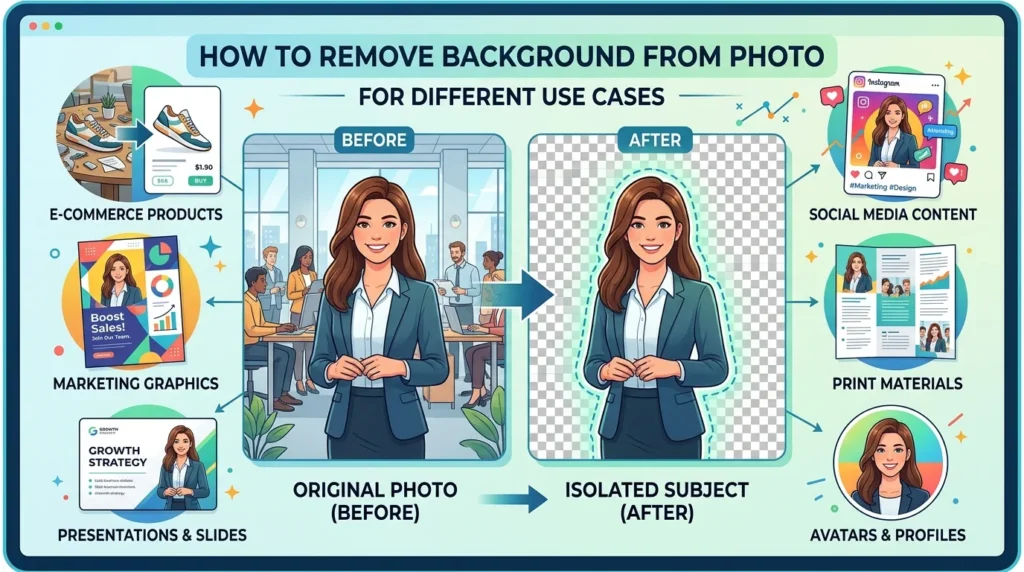
For Product Photography
Use an automatic background remover to isolate shoes, bags, or electronics. Then add a solid white or gradient background.
For Portraits and Selfies
An AI background remover will keep hair details and skin tones accurate. Great for LinkedIn profile pictures or team photos.
For Logos and Graphics
You often need a transparent background maker to remove white boxes around logos. This gives you a clean PNG for websites.
For Social Media Posts
Remove image backgrounds instant within seconds for making memes, or photos within second with one click by using ai tools.
You Need to know some mistakes before removing background online
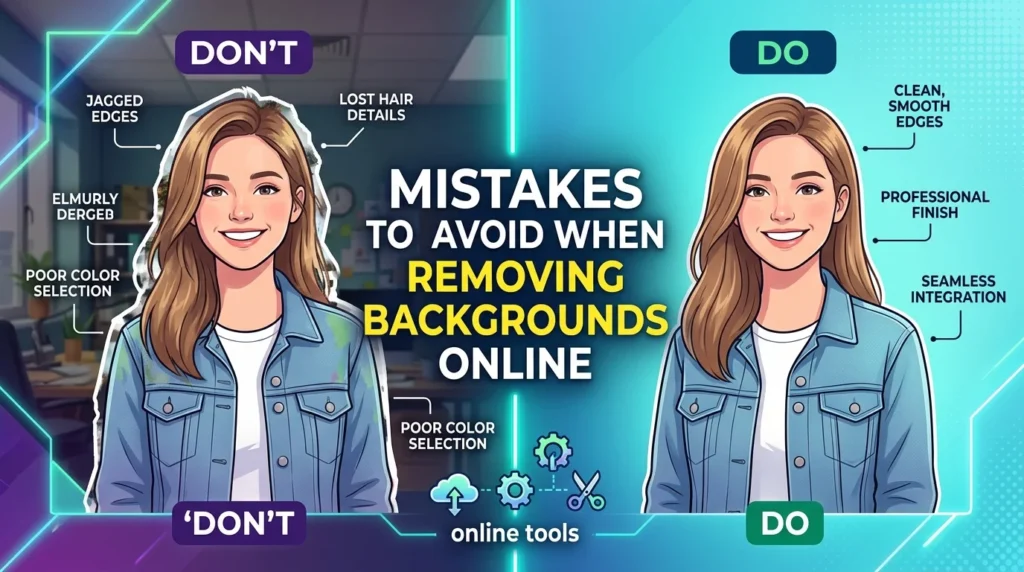
sometime with a good tool, some people make small mistakes. Here i will tell you about little mistakes
- Uploading low-resolution images → Results may look pixelated.
- Choosing a tool that leaves watermarks → Unprofessional for business.
- Not checking edges → Some AI fails on complex hair. Use a tool that offers manual touch-ups.
- Saving as JPG → JPG doesn’t support transparency. Always choose PNG.
Conclusion
You don’t need to learning photoshop and hardiest tools for remove background from images anymore.
With a reliable AI background remover, you can get studio-quality cutouts in one click. Whether you need a transparent background maker for a product photo, a free background remover tool for a quick meme, or a PNG background remover for your logo it’s all possible in under 5 seconds.
Try it yourself today. Make a picture of yourself and upload in a tool and click onremovebutton and see the magic.
FAQs
1. Can I remove background from images for free?
Yes. Many tools like thefutureai.world and Adobe Express offer a free background remover tool without watermarks. You can download low quality or high quality versions depending on the platform.
2. What is the best one click background remover for hair and fur?
Look for an AI background remover that specifically mentions “hair refinement,” such as Remove.bg and thefutureai.world do an excellent job with complex edges like curly hair or pet fur.
3. How do I remove background from photo without losing quality?
Always upload the highest resolution image available. Use a tool that supports PNG output. Avoid free apps that compress your final image. A good automatic background remover keeps original dimensions.
4. Can I add a new background after removal?
Yes. Most tools let you remove background from images and then add a solid color, gradient, or custom photo as a new background. This is perfect for product photography.
5. online background remover tools using safe or not?
in a kittle cases yes but this is not 100% safe first of all check policy and reviews of site which you are using. Some tools delete uploaded images within1 to 24 hours. Do not upload sensitive and personally documents.