


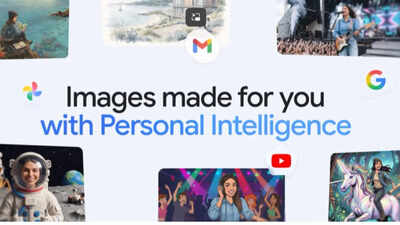
Google has introduced new ways to create personalized images inside the Gemini app, aiming to make AI image generation feel more natural and less dependent on detailed prompting. The update is built around Personal Intelligence, which allows the system to understand user preferences using connected Google services. It works alongside Nano Banana 2 and integrates with Google Photos, enabling more contextual and personalized image outputs. Instead of uploading reference images or writing long descriptions, users can rely on their existing Google ecosystem, as per the latest Google Blog update.NOTE: According to the latest 16 April 2026 Google Blog update, currently, the rollout is limited to Google AI Plus, Pro, and Ultra subscribers in the United States, with expansion planned for other regions and platforms.
Google Gemini simplifies image creation with a personal intelligence system
Personal Intelligence serves as a critical component in the update. It will help the system make use of Google application connections in order to better understand the user preferences. This could be related to their interests and previously used style and input on Google products.It is aimed at reducing the use of long prompts. Users only need to give a simple description while the system understands the intention through contextual intelligence. As such, generating images becomes easy and much more personal.The Nano Banana 2 technology provides the basis for this new image generation engine. The prompt interpreter uses the user prompt as well as the available contextual information to generate visuals.In previous versions, the users needed to provide all necessary details, including uploading references, in order to get the right visual output. With this update, this has been automated.
How stored memories in Google Photos shape Gemini’s creative outputs
Google Photos becomes an integral part of enhancing this personal touch. When enabled, Gemini can draw on facial recognition, pet identification, and structured memories to learn about those who matter most to the user.As a result, this feature enables the inclusion of actual people from a user’s life within the created images. The labels available within Google Photos aid in identifying specific persons, which makes it easier to generate personalized content or artistic interpretations with recognizable characters.This means users can ask for their own personalized artworks without having to upload pictures every single time.
Simple steps to use the new personalized image feature in Gemini
Using the new feature is designed to be simple and does not require complex setup.
- First, users need to ensure they are on an eligible Gemini subscription plan and that their Google apps are linked.
- Once connected, Personal Intelligence works automatically in the background.
- To create an image, users can open the Gemini app and enter a simple prompt such as creating a themed illustration, scene, or stylized artwork. There is no need for long descriptions or manual uploads in most cases.
- If users want to include specific people or pets, they can ensure their Google Photos library is properly organized with labels. Gemini will use this context to identify and include them in generated images.
After generating an image, users can refine it by giving feedback or selecting different reference photos. This helps adjust style, composition, or subject accuracy.
Google’s image refinement tools in Gemini
Google has included tools that let users adjust and refine image results. Since AI outputs may not always match expectations on the first attempt, users can guide improvements. If an image is not accurate, users can provide feedback directly in the Gemini app and regenerate results. They can also select different reference photos from Google Photos to influence the output.A “Sources” option is available as well, showing which images were used to generate the result. This adds clarity and transparency to the creative process.